Settings
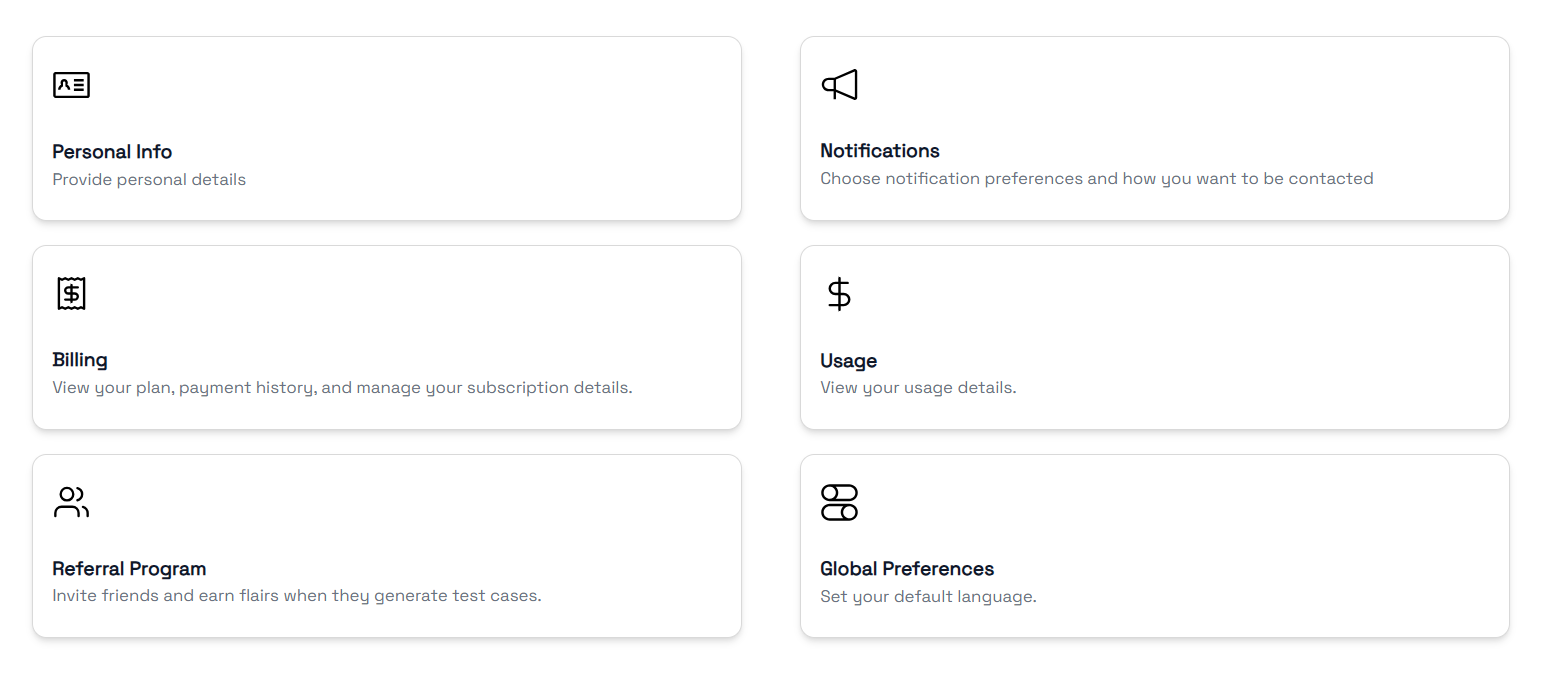
Access your account settings by clicking Settings in the sidebar. The settings hub is organised into Account, Notifications, Billing, Usage, Preferences and Referrals.
Account
Your account details.
- Username — Your display name on the platform
- Email — The email address associated with your account (read-only)
- Joined — When your account was created

Preferences
Platform-wide preferences.
- Language — Set your preferred interface language. English is currently the only available option; more languages are planned.
Notifications
Toggle which real-time notifications you receive. TestFlair sends browser notifications when background tasks complete:
| Notification | Trigger |
|---|---|
| User Stories | Generation of user stories is complete |
| Test Cases | Generation of test cases is complete |
| Test Scripts | Generation of test scripts is complete |
You can also manage notifications from the bell icon in the header — mark individual notifications as read, mark all as read, or clear them.
Billing
Manage your subscription plan and payment methods.
- Current Plan — Your active tier and what's included, plus the card on file
- Upgrade / Downgrade — Switch between plans, monthly or annual
- Add Funds — Top up your wallet with extra Flairs
- Transaction History — Past payments and subscription charges
For plans, personal vs team wallets and what consumes Flairs, see Billing & Flairs.
Usage
Track how many Flairs (platform credits) you've consumed and what remains — total allowance, remaining balance, and a per-feature breakdown with progress bars.
The breakdown charts attachment uploads, user story generation, test case generation and test script generation only. Test data generation, AI bug generation, user story import and the Jira AI steps count against your Remaining Flairs total without a separate bar. See Billing & Flairs.
Referral Program
Invite others to TestFlair and earn bonus Flairs.
The Referral Program is a Beta feature. If you don't see it in Settings or the sidebar, it isn't enabled for your account.
- Get your referral code — A unique code is generated for your account
- Share — Copy the referral link and send it to colleagues or friends
- Earn — When someone signs up using your code, both of you receive bonus Flairs
- Track — View your stats — Friends Invited, Converted, and Flairs Earned